12:35 PM
obyte inc.
menyambungkan 2 komputer ke sebuah printer / How to connect 2 pc to one printer
Now we will try to explain to you how to connect between 2 computers to one printer, this is not a complicated thing.
first thing you need is a'' USB-Splitter "and" CD-Driver printer "
1.first you must to connect between computer A to the printer and then,
2.instlall the printer driver ..
3.then connect computer Bto the printer as well, through a USBsplitter.
4.dan also install the driver ..
5.enjoy your new sytem ... because you do not need to buy 2 printers.
sekarang kita akan berusaha menjelaskan kepada anda bagaimana menyambungkan 2 komputer ke satu Printer, ini bukanlah hal yang rumit.
pertma hal yang anda butuhkan adalah '' USB-Splitter" dan " CD-Driver printer"
1.pertam anda harus menyambunkan antara komuter A ke printer kemudian,
2.instlall-lah driver printer ..
3.lau sambungkan komputerr B ke printer juga ,melalui USB splitter.
4.dan instal juga drivernya..
5.nikmatilah...karena anda tidak butuh untuk mmembeli 2 printers.
Obyte Inc,staff
8:13 AM
obyte inc.
now corel has launch a new product of video editor ,and you can edit your videos anytime you want,
-adding voice,sounds
--editing videos,cutting,trim,render and others..
for further information or help you can visit core help.
and you can got the free download corel video studio x4 at :
http://www.corel.com/servlet/Satellite/us/en/Product/1224171780177# (free trial)
sekarang corel memiliki meluncurkan produk baru dari editor video, dan Anda dapat mengedit video Anda kapan saja Anda inginkan,
-menambahkan suara, suara
- mengedit video, memotong, trim, render dan lain-lain ..
untuk informasi lebih lanjut atau membantu Anda dapat mengunjungi bantuan inti.
dan Anda bisa mendapatkan download gratis corel video studio x4 di:
http://www.corel.com/servlet/Satellite/us/en/Product/1224171780177 # (coba gratis)
12:27 AM
obyte inc.
how to join files by HJ split
Cara menggabungkan File-file dengan HJ split
And now we shall explain you how to join your big files by HJ-split.
And before Joining your files you must to put all your files that you want to join in the same folder or one folder so:
and choose your files 001 type that you want to join
Dan sebelumMenggabung file Anda, Anda harus meletakkan semua file Anda yang Anda ingin gabungkan dalam folder yang sama atau satu folder sehingga:
dan pilihlah type 001 yang anda ingin gabungkan
1.Open your Hj-split software (.exe) because HJ-split doest need installation
1.bukalah sofware HJ spilt (exe.),karena dia tidak perlu di install
2.so the second step is click ‘’JOIN’’
2.kemudian klik "JOIN"
3.and then click ‘’INPUT FILE’’ so choose your 001 file types
3.kemudian kilk input file dan pilih foder 001
4.and click ‘’START’’
so it's will be works automatically
4.kilk "start" maka ia akan memulai sendiri
And joining completed
Dan penyatuan selesai
You can get free download HJ split at links below
kamu dapat mendownload HJ spilt di links berikut:
1:13 AM
obyte inc.
-We shall you explain the way how to choose the best Anti-virus and the tips how to choose the Best Antivirus for your computer,
the best antivirus on 2009:
1. Norton Internet Security 2011
2. Kaspersky Internet Security 2011 8.Microsoft Security Essentials (Beta)
3.Trend 9.McAfee Micro Internet Security 2011 Internet Security 2011
4.Avast! 4 Home Edition 10.Panda Internet Security 2011
5.AVG Free Antivirus
6.Avira AntiVir Personal
7.BitDefender Internet Security 2011
 source: Dennis Technology Labs.
Sept 29.2009
I would invite you to think and ponder, how best to choose an antivirus that is suitable for your needs, and not burden your PC's performance, so that your mind open, to select the antivirus according to your needs;,
-Anti-virus and PC they both like one who is carrying other people, but now that we need, is how to choose a good antivirus performance but does not change the performance of your PC.
-We are described as follows: for the PC as carrier (read: A) and antivirus (Read: B) is that in carrying, then B must to clean “A” and manage his health, so ‘‘A” is not dirty, and always healthy, whereas we want ‘‘A” to be fixed to have high performance and is not burdened by “B”.
-Then since ‘‘A” carrying “B” to clean it every time, we must choose “B” light and fast so that “A” is always healthy, and its performance is disturbed not , and can continue to run fast and healthy even though carrying “B”.
That is a line of figures that will open your mind to choose the Antivirus suit your needs or existing office, colleagues, and family.
11:58 AM
obyte inc.
OBJECT DOCK CRASHES
we will show you how we explainned you how easily to solve it.
1.If happen like this on your desktop
2.then right-click and then click Quit
3. have a nice adventure with your new solved objeckdock.
11:42 AM
obyte inc.
OBJECT DOCK
we will show you how to manage your objeckdock easily.
1.Object dock lets you create a shortcut that you want, by setting your object dock
-You can add a shortcut anything what you want by right-clicking and then ‘’Add’’, then select the shortcut you want.
2. You can also add a separator around the shortcut of your choice
3.You can also delete the shortcut you choose, by Removing them
 4.You can also change the default icon your computer, with icons on the provided Object dock, by clicking on the Change Image

5. Congratulations to navigate with your favorite Dock Object

10:50 PM
obyte inc.
we will show you the ways how to boost your Pc easly.
The 1 way: tunning your hardisk.
though this is a long way but we still can count on it.
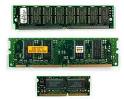
the 2 way: Upgrasing the RAM {Random Access Memory}. it's depend on you, you will change it by the new one or upgrading the speed of your old Ram.
The 3 way: installing Card 3.0 , it,s added your old usb 2.0
the 4 ways: emptying the folders on Autorun, disable the useless software or tools
the 5 way: up-dating your Driver chipset,the new of your driver will give you more Performance
the 6 way : always use standby mode when you leave the computer,so didn't need to start it again it's save your time .
the 7 way : you must disable the interface,if you disable it you will get faster.
the 8 way : disable your network to printers and folder.
the 9 way: alwasy clean your pc from the dust and other harmfull article.
enjoy it.have a nice adveture with your new pc speed.
issued by : Obyters.blogspot.com
9:49 AM
obyte inc.

Method 1 open software iMovie 6.
Method 2 You should make sure that your video has finished in the play.
Method 3 open the video that you play.
Method 4 Once you are done open, make sure you are in timeline view and find any piece of video that you want to change the text and place your cursor there. Then go to Edit> Split Video Clip at the playhead.
Method 5 now lives you choose subtitles. Click Title> Edit. Then go down the list until you see the text of the video that you choose. Then you click the arrow next to it. Then you have two choices: Stripe Subtitle and Subtitle. Both are equally the same, the only difference between the two is that Subtitle Stripe has a rear line of text.
Method 6 Once you are done choose the type of text you like, adjust the options below the list that you think it is best for you. There you can choose colors, fonts, size of the number of lines (+ and -), and if it's on video or more black.
Method 7 Now you are ready to add to your own videos. Click on the first segment of your video that you want to enter text Type the text in the right window then click 'Add'. You now have a text in one segment. This process can take a while, be patient in waiting.
Method 8 If you make a mistake press the subtitle clip where you go to a bar and left to edit it again. Press 'Update'.
Issued by: Obyters.blogspot.com
Great Thanks For Obyte Inc, Supporters Anywhere, all over the world